15 August is a very important day for India. We celebrate it as Independence Day every year. Today 15 August Photo Editing Prompt Girl & Boy many people use AI to create special photos for this occasion. In the past, making a beautiful photo took a lot of time and editing skills.
Now, with ChatGPT, you can write a good prompt and create an amazing AI photo in just a few minutes. You only need your own photo and a well-written prompt to get started. Many people share these AI photos on Facebook, Instagram, WhatsApp, and YouTube. If you want to create a unique and eye-catching photo for 15 August, this guide is for you. Everything is explained in simple English so that anyone can easily create their own Independence Day AI photo.
What Is 15 August AI Photo Editing
15 August AI Photo Editing is a way to create Independence Day-themed photos with the help of artificial intelligence. AI can turn a simple photo into a beautiful and creative image in just a short time.
For example, it can add the Indian flag, Red Fort, tricolor lighting, or a patriotic background to your photo. AI can also change your outfit and make the image look more realistic. 15 August Photo Editing Prompt Girl & Boy The most important part is writing a good prompt. The clearer your instructions are, the better the AI will understand your idea. By using the right prompt, you can easily create an impressive Independence Day AI photo.
15 August Photo Editing Prompt Girl & Boy
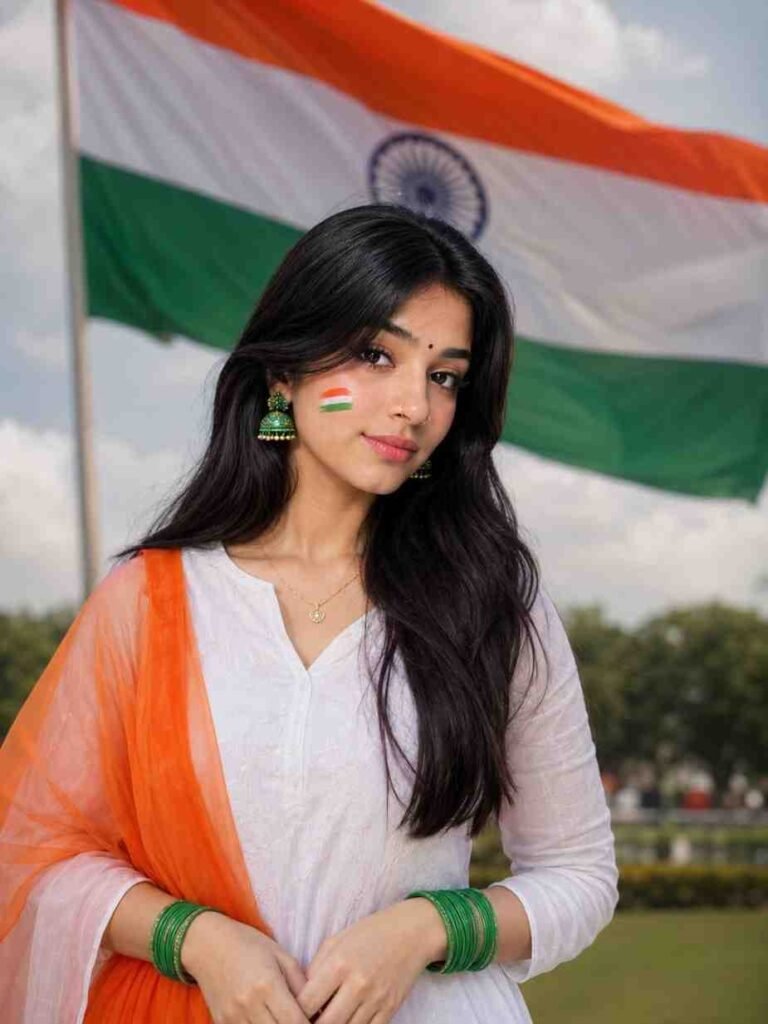
Ultra-realistic 4K portrait of the exact same woman from the reference image, standing outdoors in front of a large waving Indian flag. Wearing a plain white kurti with an orange transparent dupatta, green bangles, green jhumka earrings, a gold nose pin, and a delicate gold necklace. Long straight black hair, natural makeup, subtle pink lipstick, and a small tricolor paint on her cheek. Soft natural daylight, shallow depth of field, cinematic lighting, ultra-detailed, photorealistic, DSLR quality.
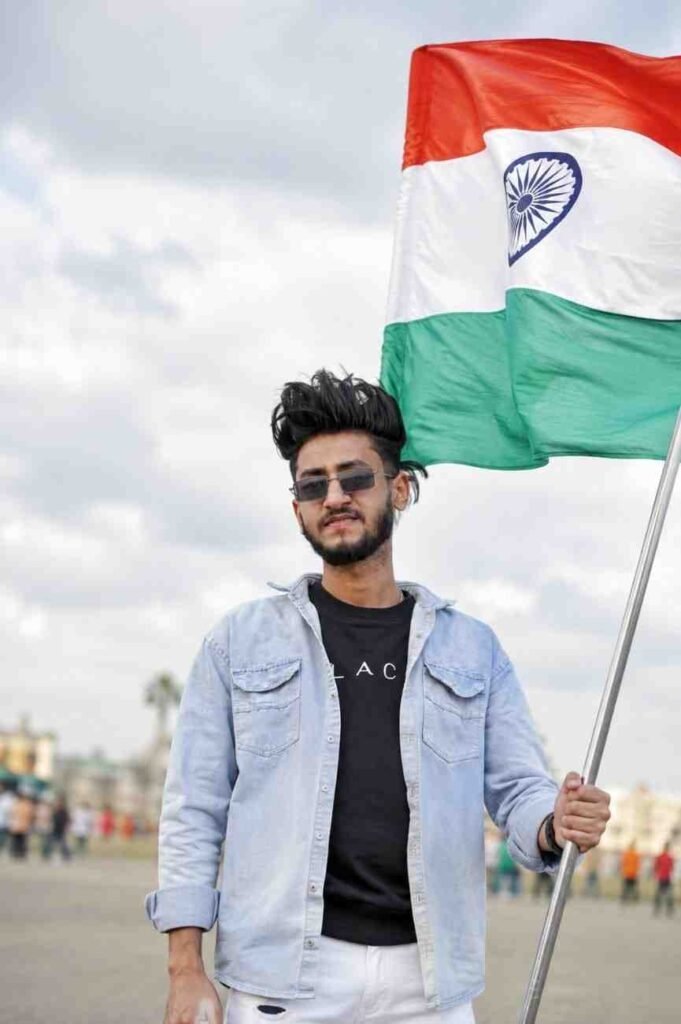
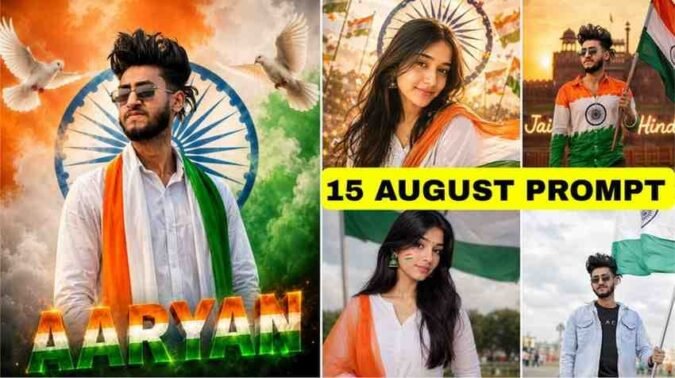
Hyper-realistic 4K portrait of the exact same person from the reference image, holding a large Indian flag with one hand, other hand relaxed, looking directly at the camera with a confident slight smile. Wear the exact outfit from the reference image with white denim jeans. Soft outdoor background, cloudy sky, blurred crowd, waving Indian flag, cinematic lighting, shallow depth of field, ultra-detailed, natural skin texture, DSLR-quality, photorealistic.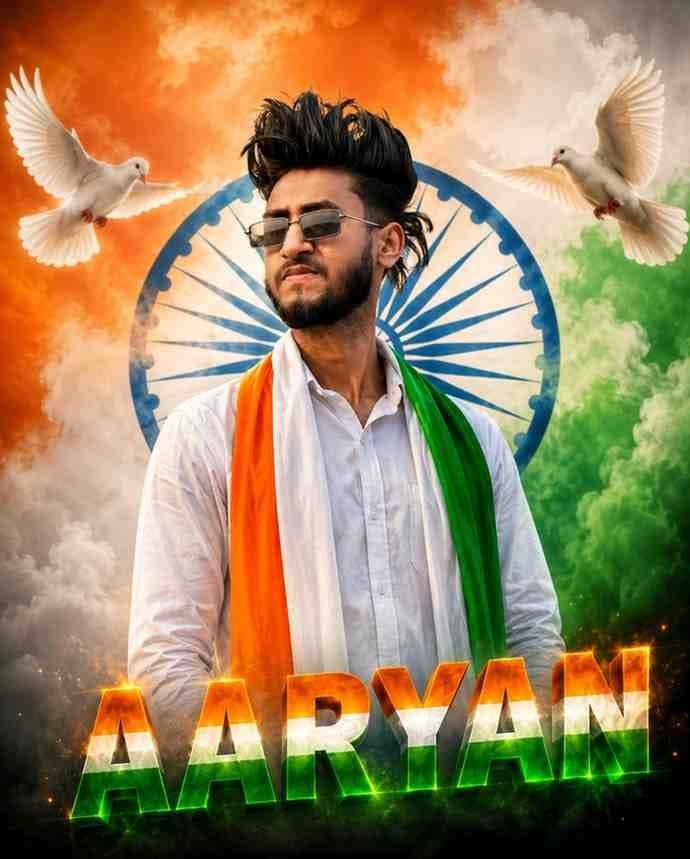
Ultra-realistic 8K cinematic portrait of the exact same person from the reference image, looking confidently to the side. Wearing a white shirt with a saffron, white, and green tricolor stole around his neck. A large blue Ashoka Chakra behind him, with two white doves flying through saffron, white, and green smoke clouds. The name "AARYAN" at the bottom in glowing 3D tricolor text. Ultra-sharp focus, natural skin texture, realistic colors, HDR, DSLR quality, shallow depth of field, professional photography, patriotic theme.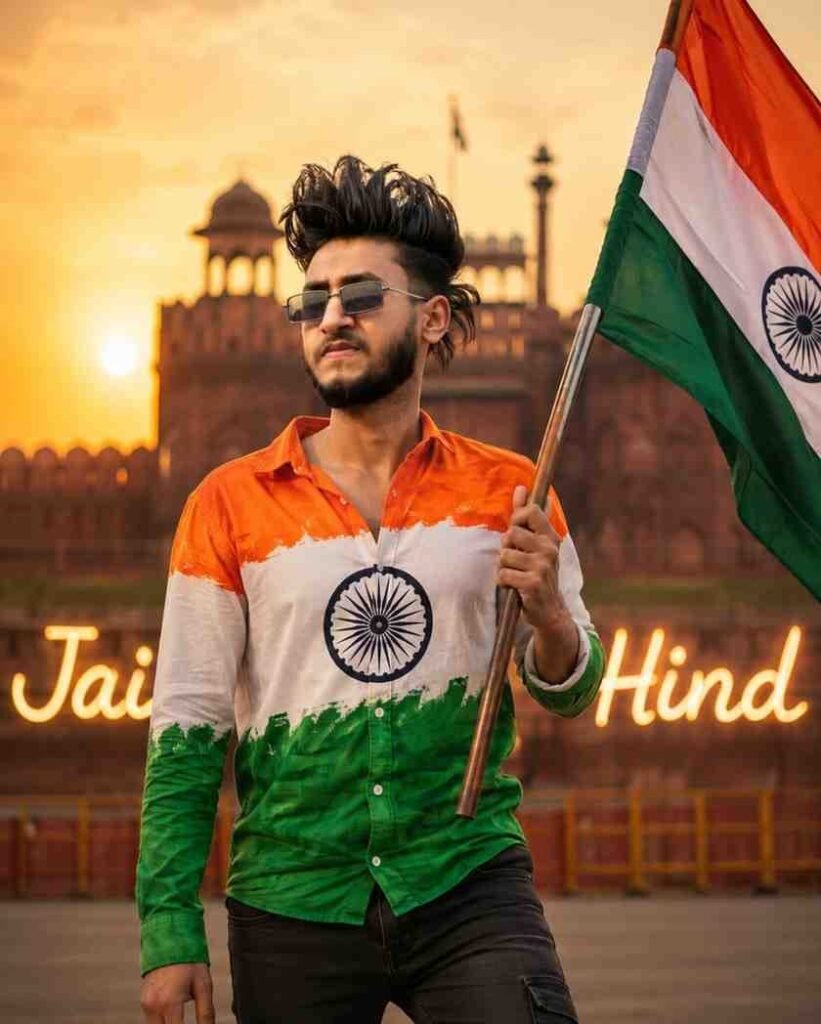
Ultra-realistic 8K/16K medium shot of the exact same person as the reference image, wearing an Indian flag-print shirt and black jeans, holding a large Indian national flag in his right hand, outdoors with warm golden cinematic lighting, shallow depth of field, ultra-sharp focus, natural skin texture, realistic colors, professional photography, glowing "JAI HIND" text in the background.How to Create a 15 August AI Photo
- Creating a 15 August AI photo is very simple.
- First, open ChatGPT or your favorite AI tool.
- Next, write or copy a good 15 August photo editing prompt.
- If the AI tool allows photo uploads, add a clear photo of yourself.
- Then paste the prompt into the AI tool.
- Click the Generate or Create button.
- Wait a few moments while the AI creates your image.
- Check the result carefully. If needed, make small changes to the prompt and create the image again.
- Finally, use your new AI photo wherever you want to celebrate Independence Day.
Best Outfit Ideas for 15 August AI Photos
Choosing the right outfit can make your AI photo look much better. White, saffron, and green are the most popular colors because they match the Indian national flag.
Boys can wear a white kurta with jeans or traditional pants. Girls can wear a white saree, kurti, or salwar suit. You can also add a tricolor scarf, badge, or stole for a patriotic look. Avoid wearing very heavy accessories. Simple and neat outfits usually look better. Mention your outfit clearly in the prompt so the AI can create a beautiful Independence Day image.
Indian Flag-Themed AI Photo Prompt
The Indian national flag is the most important symbol of Independence Day. Adding it to your AI photo makes the image more meaningful and patriotic.
You can describe yourself holding the Indian flag with many small flags flying in the background. Tricolor decorations, flower petals, and a patriotic atmosphere can also make the image more attractive. Always use the national flag respectfully. Avoid any design or pose that may show disrespect. A well-written flag-themed prompt helps the AI create a beautiful and respectful Independence Day photo.
15 August Photo Editing Tips
A few simple tips can help you create a better AI photo. Always use a clear, high-quality photo as your starting image. Write detailed prompts that describe your outfit, background, lighting, camera angle, and image quality.
Avoid writing very short or unclear prompts. If you are not happy with the first result, make small changes and try again. Instead of using the same prompt every time, add new ideas to create fresh and unique images. Patience and creativity often produce the best AI photos.
Why Use AI for Independence Day Photos
AI makes Independence Day photo creation quick and easy. In the past, photo editing required time and experience. Today, a good prompt and a clear photo are enough for AI to create an attractive image.
AI can add beautiful backgrounds, patriotic themes, and creative effects in a short time. Even beginners can create professional-looking photos without advanced editing skills. You can also customize the colors, outfits, and overall style to match your own ideas. That is why AI photo editing has become so popular for Independence Day celebrations.
Common Mistakes to Avoid
Many people make small mistakes while creating AI photos. One common mistake is writing short or unclear prompts. Clear instructions always produce better results. Another mistake is using blurry or low-quality photos.
Adding too many effects can also make the image look unnatural. Always use the Indian national flag respectfully and avoid any design that may appear disrespectful. After the AI creates your image, review it carefully. If something looks wrong, improve the prompt and create the image again. Small changes can make a big difference.
Final Words
We hope this guide helps you create a beautiful 15 August AI photo with ease. A clear prompt, a good photo, and the right instructions can help you create an impressive image in just a few minutes.
Whether you are a boy or a girl, you can create an Independence Day photo in your favorite style. 15 August Photo Editing Prompt Girl & Boy AI is a helpful tool, but your own creativity makes every image unique. Always respect the Indian national flag and create photos that reflect the spirit of Independence Day. By following this guide, you can create a unique and attractive AI photo to celebrate this special day.