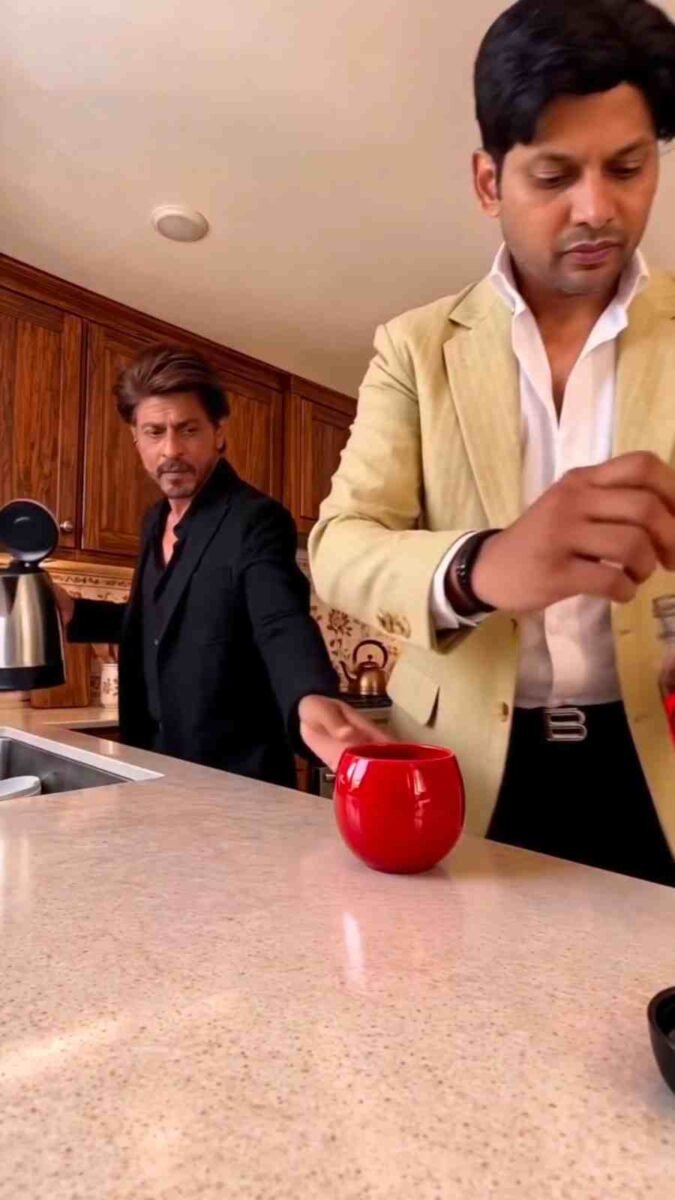
Who doesn’t love watching beautiful coffee videos on Instagram? Sometimes, steam rises from a coffee cup, milk foam forms on top of the coffee, or coffee is poured so beautifully that it becomes hard to look away. In the past, creating these types of videos often required a camera, proper lighting, and a lot of time. But now, AI makes it possible to create similar videos according to your own ideas.
In this article about Instagram Trending Coffee AI Video With Google Flow, we will learn how to create beautiful coffee videos using Google Flow. The entire process is explained in simple language so that even beginners can understand it easily. Instead of providing separate prompt examples, we will focus on where to go, how to start creating the video, and which important things to keep in mind. So, let’s get started.
Instagram Trending Coffee AI Video With Google Flow
Coffee videos are a great way to create beautiful and attractive content for social media. Scenes of coffee being prepared, foam forming on top, steam rising from a hot cup, and a cozy cafe environment can make a video look even more appealing. With AI, you can try creating these types of scenes even if you don’t have the equipment to record them yourself.
Google Flow is Google’s AI video creation platform. It allows users to generate videos using text instructions, depending on the available features. Some features also support creating videos from images. This gives you the opportunity to create new videos featuring your favorite coffee scenes.
If you want to make these videos for Instagram Reels, choosing a vertical aspect ratio is a good idea. Try to keep the scenes clear, the camera movements natural, and the coffee cup’s appearance consistent throughout the video. Clear instructions can help you achieve better results. However, AI may not produce the same results every time.
Create Your Coffee Reel With Google Flow AI Video
- To create a coffee video using Google Flow, first open Google on your mobile browser or computer and search for Google Flow AI. Then, visit the official Google Flow website. Once the website opens, sign in with your Google account if required.
- After signing in, look for the option to create a new video.
- If text-based video creation is available, select that option. If you want to turn an existing image into a coffee video, choose the image-to-video option if available and upload your image.
- Now, in the instruction box, clearly describe what you want to see in your coffee video. You can explain the type of coffee cup, the coffee-pouring scene, the lighting, the background, and the camera movements. Then, adjust the video aspect ratio, duration, and other available settings according to your needs.
- Once everything is ready, click the Generate option. Wait for the video to be created, and then play it to check the results. If you don’t like any part of the video, modify your instructions and try generating it again.
- Once you are satisfied with the result, use the available saving option on the website to keep the video on your device. Remember that some features and settings may depend on your account and service availability.
How to Achieve a Cinematic Look With Coffee AI Video
- To make your coffee video look beautiful, you need to pay attention to more than just generating the video. Every part of the scene matters. If the lighting is too bright, the natural color of the coffee may not look right.
- If the lighting is too dark, it may be difficult to see the cup and its foam clearly.
- Therefore, it is a good idea to describe the lighting and color style clearly in your instructions.
- Camera movement is also important. If the camera moves too quickly, viewers may find it difficult to enjoy the coffee scene. You can ask for slow and smooth movements instead.
- You can also include instructions to keep the coffee cup’s shape, color, and position as consistent as possible throughout the video.
- Choosing a vertical aspect ratio makes the video easier to use on Instagram Reels. However, remember that AI may sometimes introduce unusual changes into a scene.
- That is why it is important to review the generated video carefully. If you notice any problems, adjust your instructions and try again. Gradually, this process will help you create videos that better match your preferences.
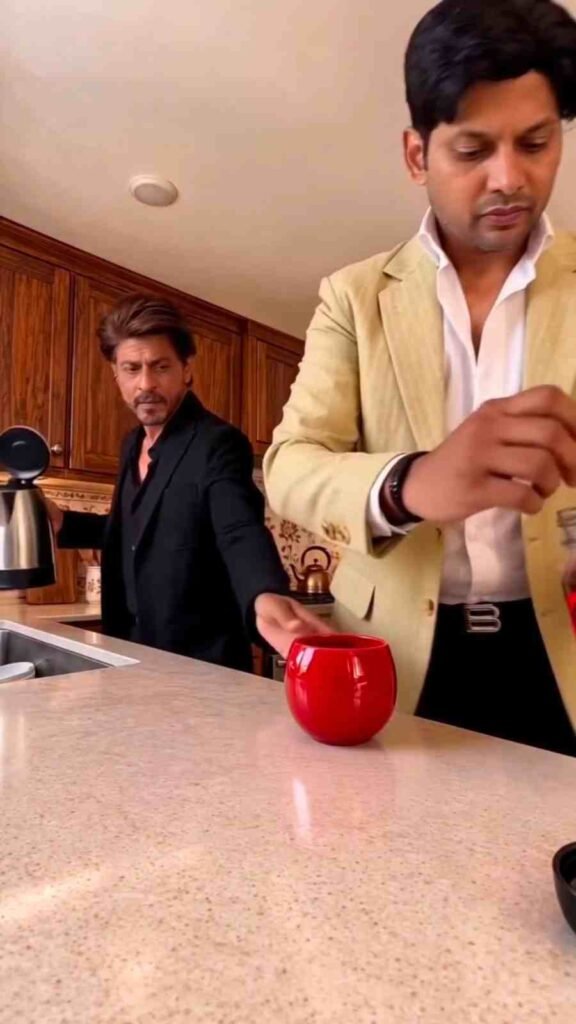
Create an ultra-realistic, 10-second cinematic video that faithfully recreates the scene in @video1. Match the original camera angle, framing, kitchen environment, lighting, object placement, action sequence, body movements, hand gestures, facial expressions, and comedic timing as closely as possible.

Use @video1 exclusively as the reference for the environment, camera composition, actions, and sequence of events. Use @image2 exclusively as the identity and wardrobe reference for the character positioned on the RIGHT, and @image1 exclusively as the identity and wardrobe reference for the character positioned on the LEFT.

CHARACTER IDENTITY AND APPEARANCE

CHARACTER 1 — @image2, positioned on the RIGHT

Recreate the exact person shown in @image2, regardless of gender. If the reference image shows a man, recreate that exact man. If it shows a woman, recreate that exact woman.

Preserve the person's facial identity, eyes, nose, lips, facial hair if present, skin tone, hairstyle, natural body proportions, and adult appearance. Maintain consistent facial identity throughout the entire video, including head turns, side profiles, downward glances, and changes in lighting.

Reproduce exactly the same clothing, colors, and accessories visible in @image2. Do not add, remove, replace, or modify any clothing or accessories.

CHARACTER 2 — @image1, positioned on the LEFT

Recreate the exact person shown in @image1, regardless of gender. If the reference image shows a man, recreate that exact man. If it shows a woman, recreate that exact woman.

Preserve the person's facial identity, eyes, nose, lips, facial hair if present, skin tone, hairstyle, natural body proportions, and adult appearance. Maintain consistent facial identity throughout every frame and movement.

Reproduce exactly the same clothing, colors, and accessories visible in @image1. Do not add, remove, replace, or modify any clothing or accessories.

STRICT IDENTITY AND WARDROBE SEPARATION

Treat @image1 and @image2 as the exclusive identity and wardrobe references for their respective characters.

Never mix facial features, exchange identities, or transfer clothing and accessories between the two characters.

Do not assume either character's gender based on their position or role in the original video. Their gender, facial appearance, hairstyle, and wardrobe must follow their respective uploaded photographs.

Do not copy the faces, hairstyles, clothing, jewelry, or accessories of the people appearing in @video1.

Do not introduce royal costumes, draped silk shawls, sarees, gold chest armor, gold bead necklaces, temple jewelry, gold armlets, heavy bangles, bindis, or royal hairstyles unless those specific elements are already visible in the corresponding identity reference.

Both characters must retain their original appearances throughout every movement and facial reaction.

KITCHEN ENVIRONMENT AND OBJECT CONTINUITY

Faithfully recreate the bright, modern home kitchen shown in @video1, including the dark wooden cabinets and large white speckled stone island.

Keep the following objects present and visually consistent:

- One red mug on the countertop.
- One large glass jar filled with ground coffee.
- One steel kettle.
- One small spoon.
- One small white cup containing milk.

Maintain consistent object shapes, sizes, positions, materials, and reflections. Objects must move only when a character physically interacts with them.

The spilled coffee powder, water, and milk must remain visible and accumulate naturally as the scene progresses. Never reset the countertop or make existing spills disappear.

CAMERA ANGLE AND COMPOSITION

Match the original camera position, perspective, and framing of @video1. The camera should remain low at the edge of the kitchen island, looking slightly upward toward both characters.

Keep CHARACTER 1 on the RIGHT and CHARACTER 2 on the LEFT throughout the entire video.

Preserve their relative positions, distance from the camera, and placement within the frame.

Use a natural handheld smartphone-video aesthetic, matching the subtle camera behavior of the original reference.

Maintain the same viewpoint throughout the full 10-second sequence.

No additional camera movements, zooming, reframing, angle changes, transitions, or cuts.

EXACT ACTION SEQUENCE

0.0–1.5 seconds

CHARACTER 1 stands on the right and uses the small spoon to scoop ground coffee from the large glass jar.

At the same time, CHARACTER 2 stands on the left and picks up the steel kettle.

Both maintain serious, natural expressions and follow the original movements and timing.

1.5–2.5 seconds

CHARACTER 1 tips the spoon and deliberately drops the coffee powder directly onto the white countertop instead of into the red mug.

Simultaneously, CHARACTER 2 pours hot water from the steel kettle onto the countertop near the mug.

Match the original timing, hand positions, pouring motions, and body language.

2.5–4.0 seconds

CHARACTER 1 looks down at the spilled coffee powder before turning toward CHARACTER 2 with a puzzled expression.

CHARACTER 2 continues pouring water while maintaining a completely serious expression.

Preserve the original sequence of eye movements, head turns, and subtle facial reactions.

4.0–6.0 seconds

CHARACTER 2 looks down at the messy countertop before turning slightly toward the kitchen behind them.

CHARACTER 1 turns to look at CHARACTER 2 and then looks back down at the countertop.

Keep both expressions restrained and serious, matching the original timing.

6.0–7.5 seconds

CHARACTER 1 scoops another spoonful of ground coffee and drops it directly onto the countertop beside the red mug, creating a larger pile of brown coffee powder.

The mug is moved aside in the same manner as shown in @video1.

Keep the growing mess clearly visible, with realistic powder distribution and natural hand movements.

7.5–8.5 seconds

CHARACTER 2 picks up the small white cup containing milk and pours the milk directly onto the spilled coffee powder on the countertop.

The milk creates a noticeable white splash that spreads across the stone surface and visibly mixes with the brown coffee powder.

CHARACTER 2 opens their mouth slightly in surprise, matching the original reaction.

Keep the liquid movement and splash physically realistic.

8.5–10.0 seconds

CHARACTER 1 continues holding the spoon and picks up the red mug with the other hand. They raise the mug and look toward CHARACTER 2.

CHARACTER 2 looks down at the mess with a serious expression.

End the video with the same character positions, framing, and comedic reaction as the original reference.

FACIAL EXPRESSIONS AND COMEDIC TIMING

The comedy must come entirely from the contrast between the characters' serious expressions and their increasingly ridiculous coffee-making mistakes.

Neither character should laugh, speak, sing, or exaggerate their reactions.

Maintain natural facial movements, realistic eye contact, and subtle changes in expression.

Preserve the original timing of every glance, head turn, gesture, and reaction.

VISUAL REALISM AND CONTINUITY

Maintain consistent facial identity, body proportions, clothing, and accessories in every frame.

Keep CHARACTER 1 on the right and CHARACTER 2 on the left.

Reproduce the original order and timing of every action without rearranging the sequence.

Ensure anatomically realistic hands, fingers, grip positions, spoon movements, pouring motions, and object interactions.

Show coffee powder falling naturally and accumulating on the countertop.

Render hot water and milk with physically believable liquid movement and splashes.

Keep the red mug, glass coffee jar, steel kettle, spoon, and white milk cup visually consistent.

Preserve the kitchen's original lighting, shadows, background details, and camera perspective.

Do not introduce additional people, objects, decorations, subtitles, captions, logos, or watermarks.

No dialogue, singing, lip-sync, additional actions, scene transitions, jump cuts, or changes in camera position.

FINAL VIDEO REQUIREMENTS

Generate one continuous, 10-second, ultra-realistic cinematic kitchen comedy video featuring the exact person from @image2 on the RIGHT and the exact person from @image1 on the LEFT.

Both characters can be male or female. Their gender, facial identity, appearance, clothing, and accessories must be determined exclusively by their respective uploaded photographs.

Faithfully recreate the coffee-spilling sequence from @video1 with accurate timing, natural movements, consistent expressions, and convincing physical interactions.

Prioritize character identity preservation, wardrobe accuracy, scene consistency, realistic physical interactions, and faithful recreation of the original video's actions and camera framing.

The final result should look like a real smartphone video recorded in the original kitchen, preserving the same sequence of events and understated comedic effect.
Make Your Coffee Video Feel Natural and Smooth
The beauty of a good coffee video largely depends on how natural the scenes look. The movement of the coffee as it is poured, the position of the cup, and the appearance of the steam should look as realistic as possible. Sometimes, AI-generated videos may not handle these details correctly. Therefore, it is a good idea to watch the finished video more than once if necessary.
The background should also be simple and clean. If there are too many unnecessary objects around the cup, viewers may lose focus on the main subject. Instead, keeping the coffee cup as the center of attention and using a pleasant background can make the video more attractive. The beginning and ending of the video should also feel consistent. Sudden changes in the cup’s color or unusual camera movements can reduce the overall quality. Check every part of the video and revise your instructions whenever necessary. Starting with simple ideas and gradually gaining experience is the best way to improve your results.
Conclusion
To create a beautiful AI coffee video with Google Flow, first visit its official website. Then, sign in with your account and select the video creation option. After that, write instructions based on your ideas, adjust the necessary settings, and generate the video. Although the process is simple, clear instructions and careful review are important for achieving good results. If everything does not turn out perfectly on your first attempt, there is no need to feel disappointed. You can adjust the lighting, colors, background, and camera movements before trying again. By reviewing each result, you will gradually understand which details need improvement.
The most important thing is to work according to your own preferences and try to keep your videos natural and beautiful. With regular practice, creating attractive coffee videos will become easier.
Before publishing your video on Instagram Reels, review it carefully to make sure it looks good and is ready to share with your audience.