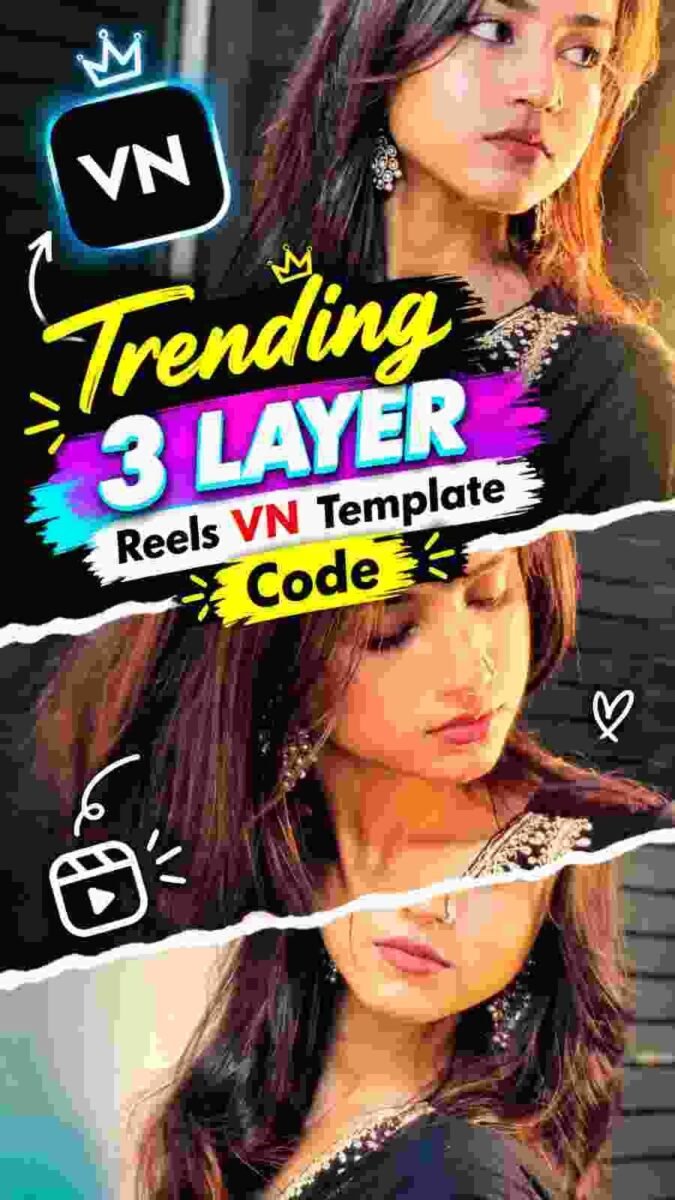
Reels are no longer limited to simple clips with music. People are now trying different editing styles to make their short videos look more creative and different. One such style is the Trending 3 Layer Reels VN Template Code, where multiple video or photo sections are arranged together in a clean and attractive layout.
The 3 Layer style gives a fresh look to ordinary content without requiring complicated editing skills. Instead of showing one clip across the entire screen, three visual sections can be placed together to create a more dynamic presentation. This makes the video feel more organized and gives viewers something different to look at. VN Video Editor makes this type of editing easier for mobile users. With a suitable VN Template Code, much of the basic arrangement can already be prepared. You can then add your own photos or videos and make small changes according to your preference.
Trending 3 Layer Reels VN Template Code
The 3 Layer Reels Editing in VN Video Code is designed around a simple idea: placing three visual elements together in one reel. Each layer can contain a different photo or video, allowing you to create a smooth combination without building the entire layout from the beginning.
This type of template can be useful for people who want to create stylish Reels but do not want to spend too much time arranging every layer manually. The basic structure gives you a starting point, while your own media, text, music, and timing can give the final video a completely different feel.
The best part is that the same template does not have to produce the same-looking video every time. By choosing different clips and making your own small adjustments, you can create a version that matches your personal content and editing style.
How to Create 3 Layer Reels in VN
- First, open VN Video Editor on your phone and start a new project using the 3 Layer template. Once the template is available in the project, you will see the different sections where your photos or videos can be placed.
- Now select the media you want to use in the three layers.
- Try to choose clips that work well together so the final composition looks balanced. You can use three different moments from the same video or combine different clips depending on the type of Reel you want to create.
- After adding the media, check each layer carefully.
- Adjust the position and size of the clips if necessary so that the important parts remain visible. You can also change the text included in the template and replace it with your own words.
- Next, check the timing of each layer and make sure the transitions feel smooth so video Trending 3 Layer Reels VN Template Code.
- If the template includes music or effects, preview the complete Reel to see whether everything matches properly. Small timing adjustments can make the final result look much cleaner.
- When the editing is complete, watch the entire video once before saving it.
- Check the text, video positions, transitions, and overall layout. If everything looks correct, you can save the finished Reel and use it for your short-video content.
Build A Different Look With Your Clips
Your choice of photos and videos can completely change the appearance of a 3 Layer Reel. Instead of selecting random clips, try to use media that has some connection with each other. This can make the three sections feel like parts of one complete story. For example, you can use a wide view in one layer, a closer shot in another, and a different moment in the third section. This creates visual variety while keeping the main idea connected.
The placement of each clip also matters. If an important part of the image is hidden or placed outside the visible area, the Reel may not look as clean. Take some time to adjust each layer until the three sections have a balanced appearance. You can also experiment with different combinations of clips. A simple change in the media can make the same template feel completely new.


Turn A Simple Template Into Your Own Style
A template gives you the basic structure, but your own editing choices give the Reel its identity. You can change the text, replace the original media, adjust the timing, and choose music that fits the mood of your content.
Try not to add too many elements at once. A clean layout usually looks better when the main subject remains easy to see. Keep the text short and place it where it does not cover important parts of the video. You can also make small changes to the beginning and ending of the Reel. A smooth opening can make the video feel more polished, while a clean ending can give the whole edit a finished appearance.
The goal is not simply to use a template exactly as it is. Use the template as a base and add your own ideas to make the final Reel feel original.
Conclusion
The Trending 3 Layer Reels VN Template Code provides a simple way to create an attractive short video using multiple visual layers. It can be useful for beginners as well as regular content creators who want to try a different editing format.
Creating the Reel does not require a complicated editing process. After opening the template in VN Video Editor, you can add your own photos or videos, adjust the layers, change the text, and fine-tune the timing.
The final result depends largely on how you choose and arrange your content. With the right clips and a few personal changes, a basic template can become a unique Reel that matches your own style and content.