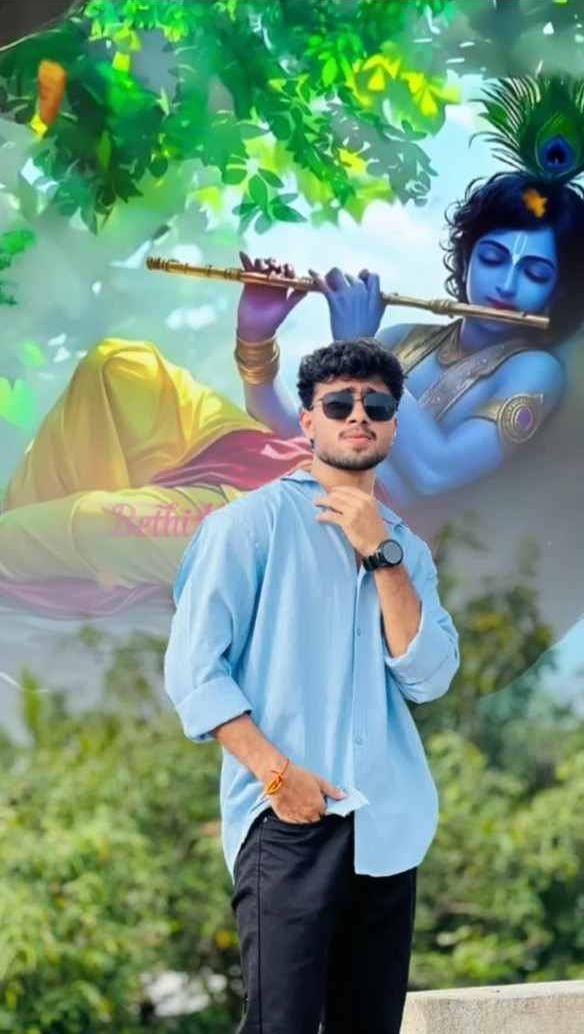
Shri Krishna Video Editing VN Code is a popular way to create beautiful devotional content for social media. A simple Krishna image can look much more attractive when it is combined with suitable music, smooth movement, clean text, and a few soft effects. Many people want to create this type of video but feel that professional editing skills are necessary. Actually, you can create a good Shri Krishna video with simple editing tools if you understand the basic process.
VN Video Editor makes it possible to arrange photos, add music, create transitions, apply effects, and add meaningful quotes in one project. The main idea is to keep everything connected with the devotional mood. A peaceful Krishna video does not need hundreds of effects. Good images, proper timing, suitable music, and simple animation are usually enough. With the right editing style, you can create a beautiful Krishna status, devotional reel, or short spiritual video that feels natural and enjoyable to watch.
What Makes Shri Krishna Video Editing VN Code Special
A Shri Krishna edit is different from an ordinary photo video because it usually carries an emotional or spiritual feeling. The purpose is not only to show beautiful pictures but also to create an atmosphere of peace, devotion, love, and positivity. This is why every part of the edit should support the main feeling. Krishna playing the flute, Radha and Krishna moments, Vrindavan scenery, temples, peacock feathers, and traditional artwork can all be useful visual elements.
Soft blue and golden colours can also create a beautiful appearance. The music should match the mood instead of fighting against it. Even the text animation should be gentle. When all these things work together, the final video feels more complete. You do not need complicated editing tricks to make the video impressive. Sometimes a slow zoom on a beautiful Krishna image with peaceful flute music and a meaningful line can create a stronger effect than a video full of flashy transitions.
Choosing Beautiful Krishna Photos
The photos you select are the foundation of your video. Even excellent effects cannot make a low-quality image look truly clear, so begin with good-quality Krishna pictures. Try to collect images with different poses and compositions. You can use a close-up Krishna portrait, a full-body image, Krishna playing the flute, Radha-Krishna artwork, Vrindavan scenes, temple backgrounds, or peaceful devotional illustrations.
Avoid selecting ten or fifteen pictures that look almost exactly the same. A little variety helps the video maintain interest. You should also pay attention to the colors of the images. If one photo is very bright and colorful while the next is extremely dark, the transition may feel uncomfortable.
You can adjust brightness, contrast, and saturation inside VN to create a more consistent appearance. Before beginning the actual editing, keep all the selected photos together. This makes it easier to experiment with different arrangements until you find a sequence that feels natural.
Smooth Transitions for a Peaceful Look
Transitions connect one image or clip with another, so they should be chosen carefully. For a devotional Krishna VN Template, simple transitions often look better than complicated ones. Fade, dissolve, soft zoom, and gentle movement can create a smooth visual flow. If the music has a clear beat, you can make selected images change at those moments. However, there is no need to use a different transition every time. Repeating a simple transition can actually make the video look more consistent. Pay attention to the duration of each transition as well. If it is too fast, the video may feel rushed. If it is too slow, the video may lose energy. Try to match the transition speed with the music and the mood of the image. A peaceful Krishna video should feel like the visuals are naturally moving from one moment to another rather than suddenly jumping between different scenes.
How to Create Shri Krishna Video in VN Template
- Open VN Video Editor and create a new project. Select your Shri Krishna photos and video clips and place them on the timeline. Arrange the visuals in an order that creates a natural beginning, middle, and ending. You can start with a peaceful Krishna image and slowly move toward more emotional or detailed visuals.
- Add the devotional music to the timeline and trim it according to the length of your project. Listen to the music carefully and notice where the important beats or emotional parts appear. These moments can later be used to change photos or add small movements.
- Adjust the duration of every image. Keep calm images on screen for a little longer and use shorter durations when the music becomes faster. Add a slow zoom or movement to static photos so they feel more Krishna Video Editing VN Code.
- Place simple transitions between the visuals. Use fade, dissolve, or another soft transition that matches the devotional mood. Avoid adding strong effects everywhere.
- Now add your Krishna quote or message. Choose a readable font, place the text carefully, and use a gentle entrance and exit animation. Make sure the words remain visible long enough to read.
- After that, make small color adjustments so the images have a similar appearance. Add a soft glow, light particles, or another subtle effect only where it improves the scene.
- Finally, watch the entire video from beginning to end. Check the timing, spelling, music volume, transitions, and text placement. Make any necessary corrections and then save the final project in a suitable quality for your intended social media platform.
Adding Light and Glow Effects
Light effects can give Krishna images a soft and spiritual appearance when they are used carefully. A gentle glow around bright areas, small floating particles, or a subtle light leak can make the video feel more attractive. These effects can be especially useful when the original image has a dark or simple background. You can place a light effect near the edges rather than directly over Krishna’s face.
This keeps the main subject clear while still adding atmosphere. Try adjusting the opacity so the effect does not become too strong. You can also synchronize a light effect with an important moment in the music.
For example, a short glow can appear when the main quote enters the screen. Remember that devotional editing works best when the effects remain soft. Too much brightness, flashing, or movement can make the video look artificial. A small amount of light and glow is often enough to create the desired feeling.
Making the Video Fit Social Media
The final video should be prepared according to the platform where you plan to share it. For vertical reels and short videos, a 9:16 layout is generally a good choice because it fills the phone screen properly. Keep important text and visual elements away from the very top and bottom areas so they are less likely to be covered by platform controls. A 1080p resolution is usually suitable for a clear social media video.
Pay attention to the first few seconds as well because viewers often decide very quickly whether they want to continue watching. You can begin with a beautiful Krishna image, a short devotional line, or a visually interesting moment from the music. Keep the video length appropriate for your content instead of adding unnecessary clips just to make it longer. A short video with a clear idea can often have more impact than a long video with repeated images.

Common Problems New Editors Face
Beginners often try to use every effect they can find, and this is one of the easiest ways to make a video look messy. A Krishna edit does not need constant zooming, flashing, shaking, and color changes. Another common problem is poor timing. If the photo changes happen too early or too late compared with the music, the edit may feel uncomfortable.
Text placement is another important issue. Never place important words directly over a busy part of the image because viewers may struggle to read them. Low-quality photos can also reduce the overall appearance of the project. Another mistake is using completely different visual styles in one short video.
Try to keep your colors, transitions, and effects connected. Before finishing, watch the complete video without stopping. This helps you notice problems that may not be obvious when you are checking individual clips. Small corrections can make a big difference.
Simple Ideas to Make Your Edit Unique
You can make your Shri Krishna video different by giving it a simple theme. Instead of using random images, build the video around one idea such as faith, karma, peace, patience, or devotion. Start with a short line that introduces the feeling and then use images that support that idea. Another option is to create a story using different Krishna scenes. You can begin with Vrindavan, move to Krishna playing the flute, show Radha-Krishna artwork, and finish with a meaningful message. You can also use the music itself to control the visual flow. Let the calm part of the song show peaceful images and use the stronger part for your most powerful visual. Small details such as matching colors, consistent text style, and carefully timed transitions can make the edit feel original. You do not need to copy another creator’s exact style. Use templates or editing ideas as inspiration and then add your own creative choices.
Final Checks Before Sharing
Before you finish the project, watch the complete video carefully from beginning to end. Check whether every photo is clear and correctly positioned. Look at the text and make sure there are no spelling mistakes. Make sure the quote stays on screen long enough for a normal viewer to read it comfortably.
Listen to the music and check whether the volume remains consistent. Pay attention to transitions because even one sudden change can make a smooth video feel less polished. Also check that no effect covers Krishna’s face or an important part of the artwork.
It is a good idea to watch the final video on your phone because the actual mobile screen can look different from the editing preview. If you notice anything distracting, go back and make a small adjustment. Taking a few extra minutes for these checks can greatly improve the final result.
Conclusion
Creating aShri Krishna Video Editing VN Code Video Editor can be simple and enjoyable when you follow a clear editing style. Start with high-quality Krishna images, choose music that matches the devotional mood, and arrange everything with proper timing. Use smooth transitions, readable text, and subtle effects instead of trying to make every moment flashy.
A VN code or template can give you a useful starting point, especially if you are new to editing, but adding your own photos, quotes, colors, and timing can make the final video feel much more personal. Always remember that the emotional feeling of a devotional video is more important than the number of effects you use. Keep the design clean, the message meaningful, and the visuals connected with the music. With regular practice, you can become more comfortable with VN and create your own Shri Krishna editing style for reels, status videos, and other short devotional content.







5 thoughts on “Shri Krishna Video Editing VN Code”