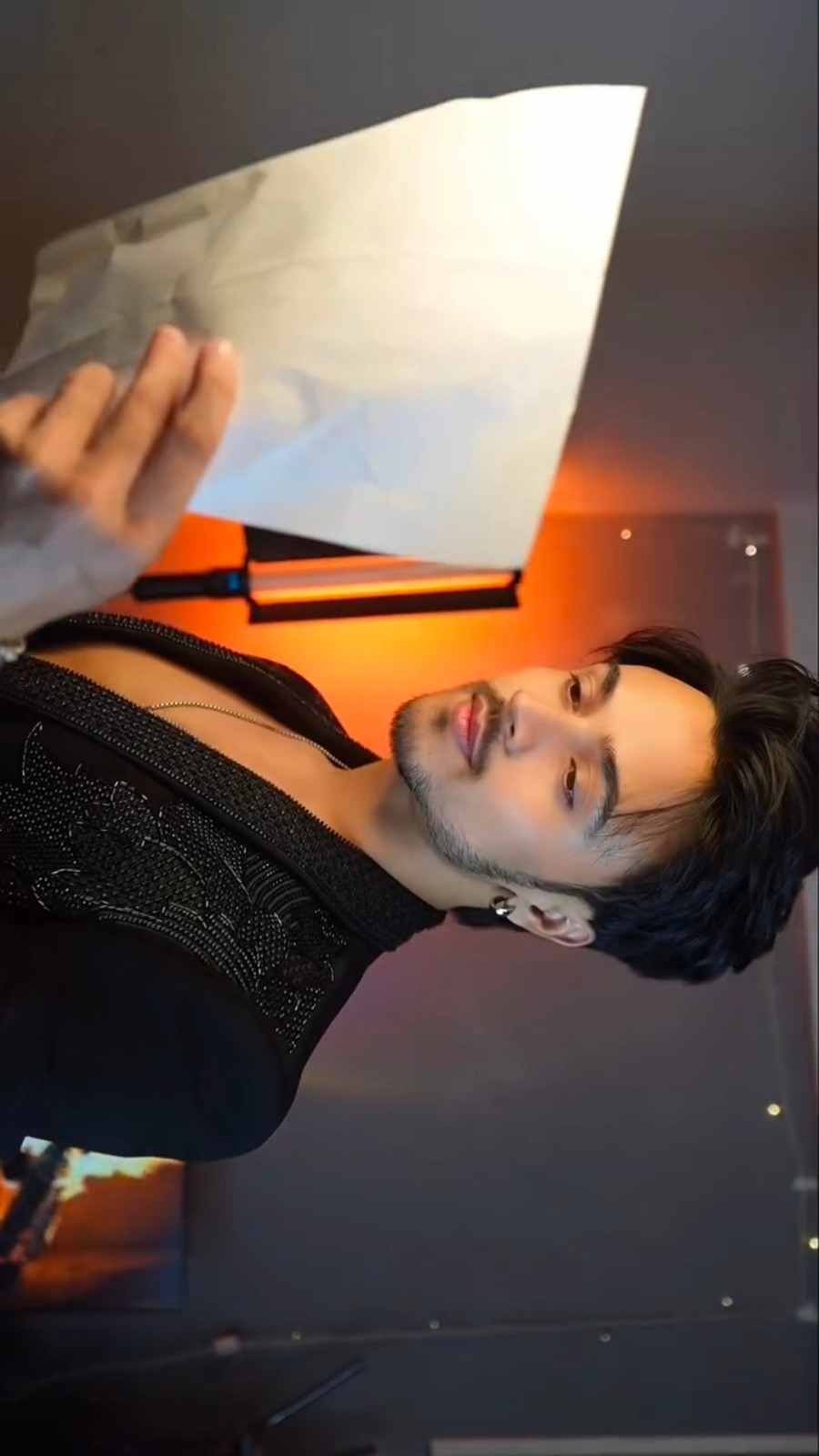
Have you ever imagined turning your normal photo into a beautiful cinematic video? Now you can try something special with the Guzarishon Pe Viral AI Video Editing Prompt. This editing trend is getting attention because of its smooth transitions, stylish camera movements, and attractive scenes.
The video starts with a book movement in front of the camera. Then, it shows beautiful close-up shots, natural expressions, and a stylish outfit change. These small details make the video look like a scene from a movie.
The best part is that you can use your own photo to make a similar video with AI. You do not need professional editing skills. Just use your picture, a reference video, and the right prompt. In this article, we will explain everything in simple steps.
Guzarishon Pe Viral AI Video Editing Prompt
The Guzarishon Pe video trend has a special cinematic look. It combines different camera movements, facial expressions, and creative transitions. One of the most attractive parts is the book transition, where the person moves a book in front of the camera to change the scene.
After that, the video shows close-up face shots and a stylish outfit transformation. The warm lighting and dark background make the entire video look more beautiful.
You can also try this style using your own photo. The AI prompt gives clear instructions about your face, clothing, camera angle, and movements. This helps the AI follow the reference video and create a similar result.
Bring Your Photo to Life with Google Flow AI
Follow these simple steps to make your own Guzarishon Pe AI video.
- Open Google on your mobile and search for Flow AI.
- Visit the official website and sign in using your Gmail account.
- Click on the Plus icon and select your personal photo and reference video.
- Copy the AI video editing prompt shared in this post.
- Paste the complete prompt into the text box.
- Check the available settings and select your preferred video size and aspect ratio.
- Click on Generate and wait for the video to be created.
- Once the video is ready, watch it carefully and check the face, movements, and transitions.
- Click on the three-dot option beside the video to save the final result to your gallery.
Always use a clear picture so the AI can understand your facial features properly. You can also change the prompt instructions if you want to improve the final result.
Unlock the Creative Idea Behind This Viral Video
- Finding the right prompt is an important part of AI video editing. A detailed prompt helps the AI understand how each scene should look and when the transitions should happen.
- To find this editing prompt, open Google on your mobile and search for AI Editz. Visit the website and look for the related post.
- If you cannot find the post directly, use the search option at the top of the website. Type Guzarishon Pe Viral AI Video Editing Prompt into the search box and open the matching post.
- Inside the article, you will find the complete AI editing prompt. Copy the instructions and use them in Google Flow AI with your selected photo and reference video.
- We regularly share new AI photo editing ideas, video prompts, and creative editing styles on our website. You can visit our website to explore more interesting editing ideas.
Give Your Video a Beautiful Cinematic Touch
A good AI video is not only about attractive transitions. Every scene should look natural, and your face should remain the same throughout the video.
While using the prompt, make sure the AI follows your original facial features, hairstyle, skin tone, and natural appearance. This is especially important during close-up shots and book transitions.
Lighting and background also play an important role. In this video style, warm orange lighting and a dark background create a beautiful cinematic feeling.
After generating your video, watch every scene carefully. Check whether the movements look smooth and the outfit changes happen at the correct time. If something does not look right, you can adjust the prompt and try again.
Use @video1 as the exact reference for the complete video sequence, including every action, gesture, hand movement, head movement, timing, camera angle, framing, rotation, close-up, transition, outfit change, lighting, and background.

Replace the original young man in @video1 with the person from @image1 throughout the entire video, from the first frame to the final frame. The original man's face must never appear, even briefly during transitions, close-ups, book swipes, or face-covering moments.

IDENTITY CONSISTENCY RULE

Generate a fresh, realistic version of the person from @image1 in every shot. Maintain exactly the same facial identity, face shape, eyes, eyebrows, nose, lips, jawline, moustache or beard, hairstyle, hair texture, skin tone, and overall appearance.

All seven shots must consistently feature the person from @image1:

- Shot 1: Book shot
- Shot 2: First face close-up
- Shot 3: Second book shot
- Shot 4: Second face close-up
- Shot 5: Book swipe transition
- Shot 6: White letter shot
- Shot 7: Final black blazer poses

Never mix, blend, morph, or retain any facial features of the original person from @video1.

CLOTHING RULE

During everyday scenes (0.0–0.5s, 2.2–3.7s, and 4.9–5.7s), the person must wear the exact clothing from @image1, preserving the original garments, colours, design, fit, and style.

At 5.7s, follow the original book-swipe transition. From 5.8s until 10s, change into the exact black shiny party blazer worn in @video1.

Keep the clothing transitions at precisely the same moments as the reference video.

CAMERA ANGLE AND ROTATION

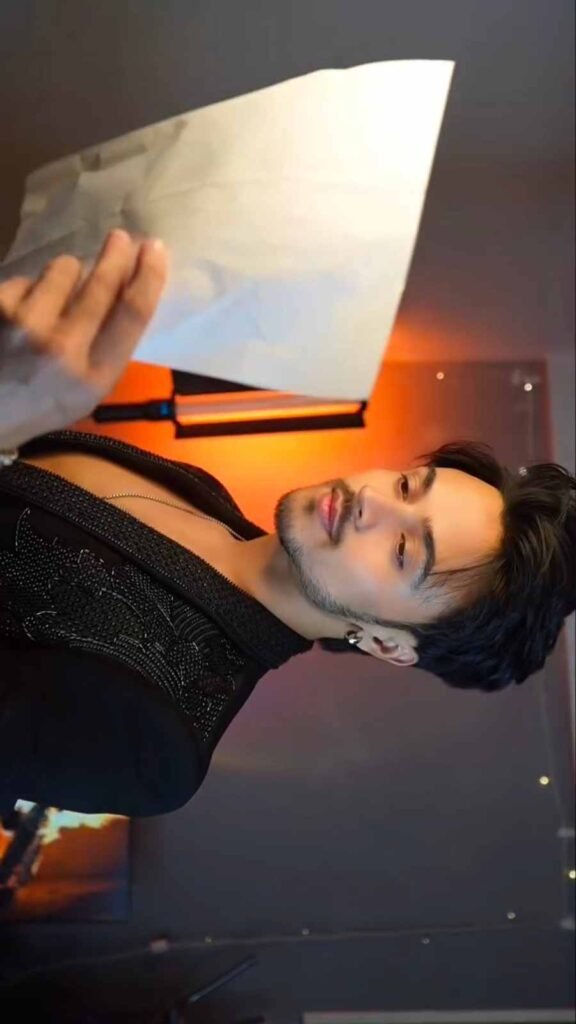
Maintain the exact sideways/rotated camera orientation from @video1 in every scene. The person's head must remain sideways in the frame exactly as shown in the reference.

This rotation must also be preserved during both facial close-ups, the second book scene, and every transition. Never straighten, rotate upright, or change the original framing.

BACKGROUND AND LIGHTING

Keep the original dark room, dark wall, warm orange lamp, shadows, lighting direction, and cinematic atmosphere exactly as in @video1.

Do not introduce another room, background, camera setup, or additional props.

BOOK PROP CONSISTENCY

The person must hold the same dark teal hardcover book with a small red label on its top corner during every everyday outfit scene.

Keep the book's appearance, position, size, and handling consistent with @video1. Never replace it with an empty hand or remove it from the required scenes.

SHOT-BY-SHOT ACTION AND TIMING

Shot 1 — 0.0–0.5s

The person faces the camera wearing the exact outfit from @image1. Hold the dark teal book close to the camera on the side of the frame. Follow the original hand position and quickly swipe the book across the camera lens to create the transition.

Shot 2 — 0.6–2.1s

Immediately after the book swipe, show a close-up of the person's complete face in front of the warm orange lamp. Maintain the same sideways camera rotation, framing, and distance as @video1.

Use the exact face from @image1. The person looks directly into the lens with a calm, confident expression. Lips remain completely closed and still throughout this shot.

Shot 3 — 2.2–3.7s

Return to the everyday outfit from @image1. Reproduce the original sideways framing and camera distance. The person holds the dark teal book beside the lens, with fingers naturally spread across its cover.

Maintain a confident expression and perform the same book-swipe movement across the lens.

Shot 4 — 3.8–4.8s

Show the second full-face close-up in front of the same warm orange lamp. Preserve the exact sideways rotation and close-up composition from @video1.

The face must remain identical to @image1, including natural skin tone, eyes, nose, lips, hairstyle, and facial hair. Use a slight natural smile with realistic lip colour.

Shot 5 — 4.9–5.7s

Return to the original everyday clothing from @image1. Hold the same dark teal hardcover book and reproduce the original hand movement.

Swipe the book across the lens to create the final outfit-change transition.

Shot 6 — 5.8–7.3s

After the transition, the person appears wearing the exact black shiny blazer from @video1. Hold a white paper letter beside the face and look directly at the camera.

Keep the lips softly closed. Do not sing or create any lip movement.

Shot 7 — 7.4–10.0s

The white letter disappears. The person continues posing in the black shiny blazer under the same warm orange lamp lighting.

Slowly turn the head and reproduce the original expressions, subtle movements, and confident smiles from @video1.

Keep the lips naturally closed throughout the entire final sequence.

LIP-SYNC AND AUDIO INSTRUCTIONS

Reproduce the Hindi phrase "guzarishon pe" exactly two times, following the timing of the reference video.

- 0.0–0.7s: Sing "guzarishon pe" once, softly and naturally.
- 0.7–2.3s: Complete silence with lips fully closed during the first close-up.
- 2.3–3.3s: Sing "guzarishon pe" for the second and final time.
- 3.3–10.0s: No singing, no additional dialogue, and no lip movement during the remaining scenes.

Use a gentle, natural singing voice that suits the person from @image1.

Audio must contain only the two specified vocal phrases. No background music, instruments, additional voices, or sound effects.

STRICT NEGATIVE INSTRUCTIONS

Do not show the original man's face in any frame. Do not allow identity changes, face blending, facial morphing, or appearance inconsistencies.

Do not change the original sideways camera orientation. No upright shots or straightened framing.

Do not use everyday clothing from @video1. Do not remove, replace, or alter the dark teal book.

Do not change the original room, warm orange lamp, lighting, background, or scene composition.

No early transitions, missing shots, altered shot timings, extra scenes, extra people, distorted hands, extra fingers, flickering, or unnatural movements.

No singing after 3.3 seconds. No lip movement in either silent close-up or any black blazer scene. No third repetition of the Hindi phrase.

No text, captions, subtitles, logos, or watermarks.

FINAL REQUIREMENT

The final video must closely reproduce @video1 in every visual and movement detail while consistently replacing the original person with the exact identity from @image1. Preserve all original actions, timing, transitions, rotation, outfits, props, lighting, and expressions without unnecessary creative changes.
Make Your Next Reel Look Different
Sometimes a simple picture is enough to create something special. This AI editing style gives you a new way to present your photo through creative video scenes.
You can try different pictures while keeping the same editing concept. The book movement, camera rotation, close-up expressions, and outfit transformation make the final video more interesting.
Before starting, choose a clear picture with good lighting. Use the complete prompt so the AI can understand all the instructions properly.
Once your video is ready, you can share it on Instagram Reels, Facebook Reels, or WhatsApp Status. You can also show your creation to friends and enjoy their reactions.
Conclusion
The Guzarishon Pe Viral AI Video Editing Prompt is a creative way to turn your personal photo into an attractive cinematic video. Its book transitions, close-up scenes, warm lighting, and stylish outfit changes make this editing style special.
The complete process is simple, even if you have never tried AI video editing before. Just select a suitable picture, add your reference video, and use the prompt with Google Flow AI.
Remember to check the final video carefully to make sure your face and movements look natural. Try this editing idea, create your own version, and share it with your friends. If you face any problems during the process, feel free to tell us. We will try to help you.