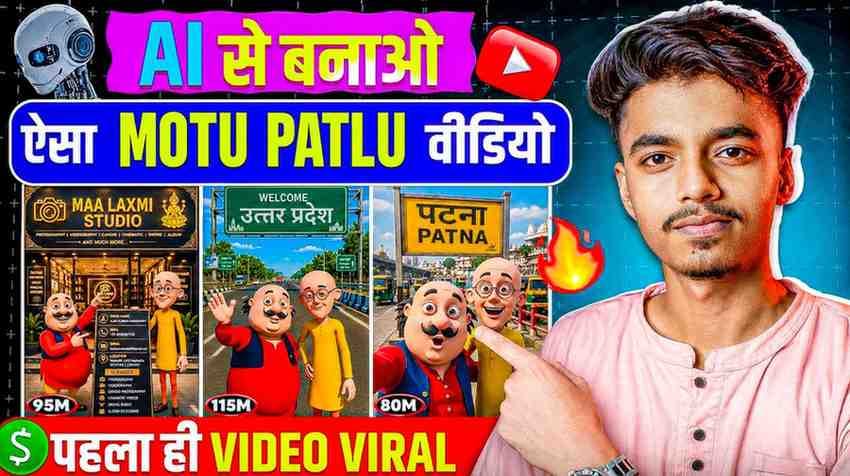
These days if you scroll Facebook and Instagram, one thing comes to your eyes. Motu Patlu are walking around in some city. Someone is showing their own village, someone is showing a famous place of their state. In this writing, the full method of Motu Patlu City Explore AI Video Editing is shown step by step in easy English.
If you go to do this work for the first time, you can get a little confused at the start. From where will you start, which app will you need, how will you write the prompt, it is normal for these questions to come in your mind. I also had the same condition for the first time.
If you read this full article, you can do the full work with your own hands. From making the picture to changing that picture into a video.
Many people are now making videos by joining the two cartoon characters Motu Patlu with their favorite places. Someone is showing their own city, someone is showing the road of their own neighborhood or village, and someone is showing a famous place of their state.
The full work is done with AI Image Generation. First, a picture of Motu Patlu is made using a specific prompt, then that picture is changed into a video. For this reason, motu patlu vlog ai video editing has become so popular now, because anyone can make such videos with their own area without any big editing knowledge.
Why is Motu Patlu AI video going so viral?
There is a simple reason behind this trend spreading so fast. People love to see their known places in a different way. When Motu Patlu are seen walking on the road of their own neighborhood, then it gives a different joy.
Moreover, it does not take much time to make this kind of video. Work goes on if you have one phone and two apps. motu patlu ai trending video editing has spread so fast because of this easy method.
Motu Patlu are known faces to everyone from small to big. So people easily comment and share on this kind of video. This is the real power of this trend.
Which things will you need to do this editing
Before starting the work, you need to have two things near your hand.
The first one is the ChatGPT app. This will be used to make the picture of Motu Patlu.
The second one is the YouTube Create app. This will be used to change the made picture into a video.
Besides, a smartphone and a little patience are enough. It can take a little more time at the start, but if you do it a few times, the full process will come in your hand.
How to make the picture of Motu Patlu with ChatGPT app
Now the real work starts. Open ChatGPT app and start a new chat.
- First, fix which place picture you want to make, your own city, your own village, or a known place of the state.
- Then write a clear prompt, where the two characters Motu Patlu will be described with that place. The more clearly you give the description of the place, the better the picture will come.
- After sending the prompt, wait for some time. ChatGPT will make the picture. If you do not like the picture, you can change the prompt a little and try again.
PHOTO PROMPT
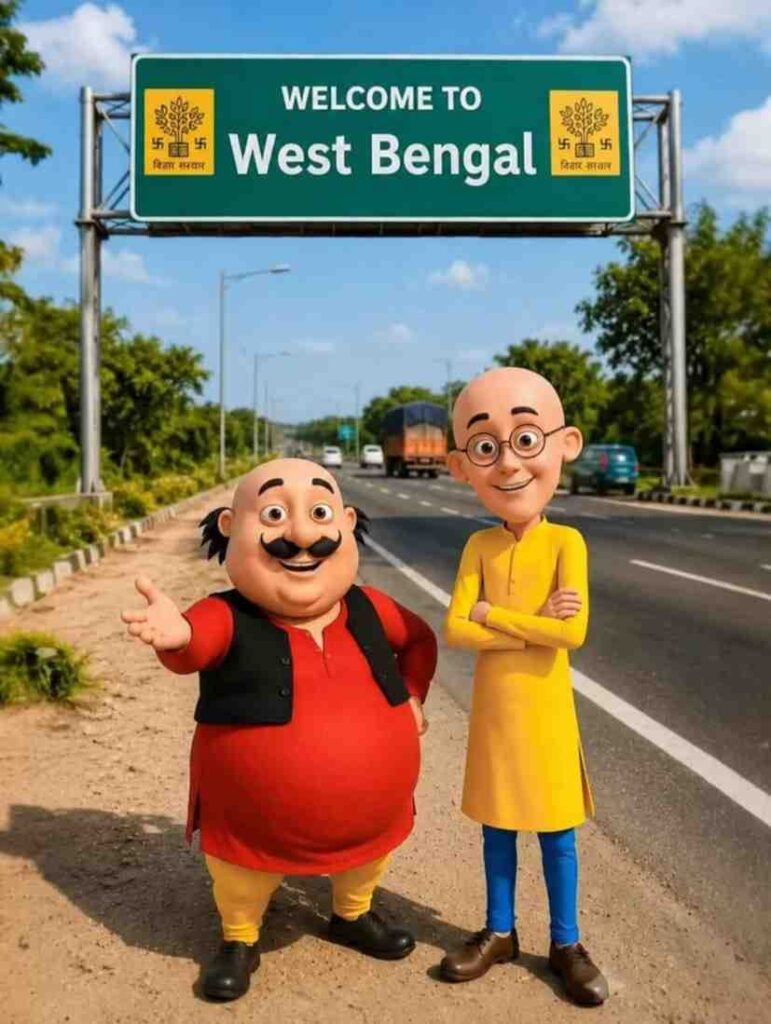
Edit ONLY the uploaded image. Do NOT recreate, redraw, regenerate, reimagine, restyle, or modify any other part of the image.Keep the image 100% identical to the original. Preserve the exact Motu and Patlu characters, facial expressions, clothing, body positions, background, road, lighting, colors, shadows, camera angle, perspective, composition, and every other visual detail without any changes.Only replace the text on the green signboard with:WELCOME TO [CITY OR VILLAGE NAME] [HINDI NAME]Do not change the signboard’s size, shape, color, design, texture, font style (unless required for the new text), position, or orientation. Do not add, remove, or alter any objects or elements in the image.The final result must look exactly like the original photo, with the only difference being the updated signboard text. Ensure the new text is perfectly centered, sharp, high-quality, easy to read, correctly aligned, and free of spelling or formatting errors.
How to write the best prompt for Motu Patlu City Explore AI Video Editing
If you keep a few things in mind while writing the prompt, the result is good.
Write the name of the place clearly. Do not write just a city, write specifically, like the name of your area, a known road or building of that place.
Describe the position and work of Motu Patlu. Like are they walking, or are they standing in front of a shop.
Mention the time of the day, morning, afternoon, or evening. This brings the light and environment of the picture correctly.
Do not put too many things together in the prompt. One scene is enough in one prompt. This makes the picture very clean.
Steps to make video from picture with YouTube Create app
When the picture is made, now it is the turn to change it into a video.
- First, save the picture in the phone gallery.
- Then open YouTube Create app and start a new project.
- Select the saved picture of Motu Patlu from the gallery.
- After this, use the motion or animation option inside the app to move the picture a little, so that it does not look still and looks like a video.
- At the end, fix the length of the video and export it. These benefits can be a little different according to the device and app version, so it is good to see the options in your own app a little.
VIDEO PROMPT
Create a 10-second ultra-realistic 3D animated selfie vlog using the uploaded image as the exact reference. Preserve Motu and Patlu’s original appearance exactly—their facial features, body proportions, clothes, colors, hairstyles, expressions, and overall identity must remain unchanged. Keep the highway background exactly the same without altering the road, signboards, lighting, or environment.Animate both characters with natural lip-sync, realistic eye blinking, subtle facial expressions, smooth hand gestures, gentle body movement, and slight handheld selfie camera motion for a realistic vlog feel.Dialogue (Hindi):Motu (smiling, waving at the camera): “हेलो दोस्तों, मैं मोटू हूँ। आज मैं चकमेहसी गाँव घूमने आया हूँ। यहाँ का माहौल बहुत बढ़िया है। आज मैं चकमेहसी गाँव का गरमा-गरम समोसा खाऊँगा।”Then Patlu speaks (smiling at the camera): “दोस्तों, यह गाँव बहुत ही सुंदर है। अगर मौका मिले, तो यहाँ ज़रूर आइए!”Include realistic highway ambience with passing vehicles, distant birds, gentle wind, and natural environmental sounds. Use cinematic lighting, smooth high-quality animation, physically accurate shadows and reflections, 4K resolution, vertical 9:16 aspect ratio, and a highly realistic 3D rendering style suitable for a viral AI selfie vlog.
How to add your own city, village, or state in the video
The most fun side of this trend is, you can arrange the full video with your own known place.
While writing the prompt, give the name of a known place of your area, like some market, temple, side of a river, or railway station.
If you want, you can make multiple pictures and join them together to make a video like a small travel.
If you use the language or local name of your area, the video feels more like your own. The viewers also give more response to this kind of video, because they can see their own known place on the screen.
What to do to make the video look more real
If you look at some small things in both picture and video places, the result is much better.
The more clear the description of light and environment will be in the prompt, the more natural the picture will look.
If you want simple and clean scenes without asking for many complex scenes together, the results come out good.
Do not keep the motion too fast in the video, keep it at a natural speed. This looks more believable to see.
Do not use the same type of scene again and again, keep something new in every part. This makes the viewer watch the full video till the end.
Common mistakes that happen during motu patlu vlog ai video editing
A few mistakes happen to almost everyone at the start. If you know these from before, time will be saved.
Many people ask for many things together in the prompt, because of which the picture becomes messy.
If you keep the name or description of the place unclear, the picture does not look like your own area.
Not checking the resolution before exporting the video is also a common mistake, because of which the quality of the video goes down.
I used to do this mistake in the starting days, I used to put many information together in the prompt. Later I understood, short and clean prompt gives the best result.
How to add music, voiceover, and caption in the video
When the video is made, the final step is to decorate it.
There is usually a music library inside the YouTube Create app. Choose a song from there according to the mood of the video.
If you want, you can add a small voiceover in your own voice, where two or one lines can be said about that place.
While adding captions, use big font and easy language, so that it can be read easily on mobile.
Keep the volume of the music in such a way so that it does not mix with the voiceover or written caption.
How to make Motu Patlu AI video trending
When the video is made, it is also important to reach it to people.
Use the name of your area and relevant words like motu patlu ai trending video editing in the title.
The starting two or three seconds of the video are the most important. Keep something there that catches the eye of the viewer.
Share the video with the people of your area, because they watch and share the video of a known place with more interest.
If you make this kind of video regularly, a familiarity is made among the viewers, which slowly increases the reach of the video.
Conclusion
If you see the full process, it is understood that Motu Patlu City Explore AI Video Editing is not a very hard work. Making pictures with ChatGPT app and changing that into video with YouTube Create app, if you can do these two steps correctly, the work is almost finished.
Even if everything is not perfect for the first time, there is nothing to worry. If you practice a few times, the full process will feel much easier. Making this kind of video with your own known place is fun, and reaching that video to others is also a good experience.






1 thought on “Motu Patlu City Explore AI Video Editing Prompt”